How to Set Customer-Specific Pricing in B2B eCommerce
Learn how wholesalers, manufacturers and distributors can show the right prices to the right customers using customer groups, contract pricing, quantity discounts and ERP-integrated eCommerce.
What this guide covers
- check_circleWhat customer-specific pricing means in B2B eCommerce
- check_circleWhy retail-first platforms often struggle with wholesale pricing
- check_circleCommon pricing models used by wholesalers
- check_circleHow ERP integration keeps pricing accurate
- check_circleHow Orca Commerce supports customer price groups and web offers
Why customer-specific pricing matters more than ever
Pricing is one of the biggest differences between B2B and B2C eCommerce.
While retail customers generally expect to see one public price, business customers often purchase under negotiated contracts, volume agreements or customer-specific terms. Displaying the wrong price does not just create confusion; it can damage customer relationships and increase administrative work.
Recent industry research shows that B2B buyers increasingly expect the same convenient digital purchasing experience they receive as consumers, including accurate pricing, product availability and self-service ordering.
For wholesalers and manufacturers, customer-specific pricing is not just a pricing feature. It is part of the customer experience.
What is customer-specific pricing?
Customer-specific pricing allows different customers to see different prices for the same product.
For example, a food wholesaler may sell the same bottle of olive oil to a retail customer, an independent restaurant and a national food distributor, but each customer may have a different price based on their agreement and order volume.
The customer does not need to request a quote or contact sales. Once they log in, the correct pricing is displayed automatically.
| Customer | Product | Price |
|---|---|---|
| Retail customer | Extra Virgin Olive Oil (1L) | £8.95 |
| Independent Restaurant | Extra Virgin Olive Oil (1L) | £7.40 |
| National Food Distributor | Extra Virgin Olive Oil (1L) | £6.20 |
Why standard eCommerce platforms struggle
Many retail-first eCommerce platforms assume that every customer should see the same catalogue and the same prices.
That works well for B2C businesses. Wholesale businesses are very different.
Both customers may buy exactly the same product, but at completely different prices. Trying to manage this through discount codes, spreadsheets or manual quotations quickly becomes impossible.
📦 Small order
- • One box
- • One case
- • Retail-style checkout
🏭 Wholesale order
- • One pallet
- • Five pallets
- • An entire container
Common pricing models used by wholesalers
Every wholesale business has its own pricing strategy. The strongest B2B eCommerce platforms support multiple pricing models at the same time.
Customer-specific pricing
Each customer has individually negotiated prices based on their account, contract or relationship with the business.
Customer price groups
Different groups receive different pricing, such as retail, trade, distributor, VIP customers or export customers.
Contract pricing
Prices remain fixed for an agreed period regardless of catalogue changes or short-term market fluctuations.
Quantity pricing
The more a customer buys, the lower the unit price becomes. This is especially important for wholesale and distribution businesses.
Promotional pricing
Temporary campaigns can support seasonal offers, clearance stock, new product launches and customer-specific promotions.
Web offers
Online-only offers can encourage self-service ordering while still respecting customer groups and account-specific rules.
Example: quantity pricing
Quantity pricing allows wholesalers to reward larger orders automatically.
| Quantity | Discount |
|---|---|
| 10+ | 5% |
| 50+ | 10% |
| 100+ | 15% |
Instead of requiring a sales representative to calculate each discount manually, the correct price can be applied automatically during the online ordering process.
Why manual pricing does not scale
Many growing businesses still rely on Excel price lists, emailed quotations, sales representatives updating prices, manual discounts and duplicated pricing across multiple systems.
Pricing errors
Incorrect prices reduce customer confidence and affect profitability.
Lost sales
Customers leave the website because they cannot see their negotiated prices.
Increased administration
Sales teams spend valuable time answering pricing questions instead of developing customer relationships.
Duplicate work
Updating prices in multiple systems increases the risk of inconsistencies.
How ERP integration solves the problem
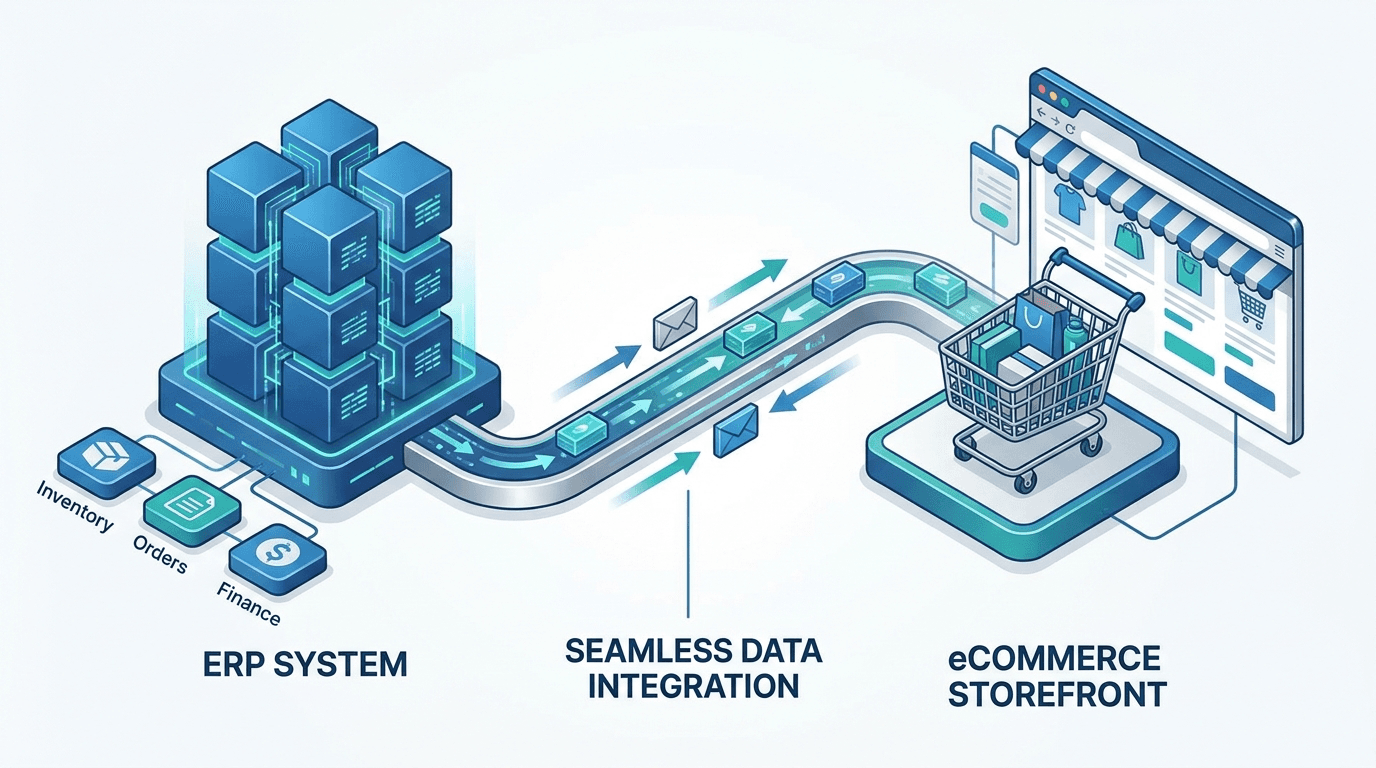
For many manufacturers and wholesalers, pricing already exists inside Microsoft Dynamics 365 Business Central or Microsoft Dynamics NAV.
Rather than recreating that pricing inside a separate eCommerce administration panel, the website should use the pricing already managed within the ERP.
This creates a single source of truth. When prices change in the ERP, customers immediately see the correct prices online.
Reduced administration
Teams no longer need to maintain price data in multiple places.
Fewer pricing errors
Customers see pricing based on the same data used by sales and finance teams.
Real-time synchronisation
Product, customer and pricing data stays aligned between your ERP and online store.
How Orca Commerce handles customer pricing
Orca Commerce has been designed specifically for businesses that need flexible pricing without maintaining multiple systems. Using the pricing already managed inside Microsoft Dynamics, businesses can configure:
Pricing control
- check_circle Customer-specific pricing
- check_circle Customer price groups
- check_circle Trade pricing
- check_circle Retail pricing
Commercial rules
- check_circle Contract pricing
- check_circle Promotional pricing
- check_circle Quantity discounts
- check_circle Web offers
Because pricing is managed directly from the ERP, businesses do not need to maintain a second administration panel.
A real-world food wholesale example
Imagine a food wholesaler supplying products such as olive oil, pasta, canned tomatoes, frozen foods and beverages.
The business serves independent restaurants, cafés, hotels, supermarkets, catering companies and members of the public.
Although many customers buy the same products, the prices they pay depend on their purchasing agreements, order volumes and customer type.
For example, a national restaurant chain ordering hundreds of cases every week should not see the same prices as a family purchasing a single bottle of olive oil. Similarly, a local café may have negotiated pricing that is different from a supermarket or a catering company based on purchasing volume and contract terms.
With customer-specific pricing, every customer automatically receives the correct prices as soon as they sign in.
Best practices for customer-specific pricing
- check Keep pricing inside your ERP.
- check Avoid maintaining multiple price databases.
- check Use customer groups wherever possible.
- check Automate quantity discounts.
- check Combine pricing with promotional campaigns.
- check Review pricing regularly.
- check Give customers immediate access to their negotiated prices.
Related Strategy Guides
Frequently Asked Questions
Ready to show every customer the right price?
Orca Commerce helps manufacturers, wholesalers and distributors connect customer pricing, web offers, product data and orders directly with Microsoft Dynamics.