ERP Migration: A Complete Guide for UK Businesses
Thinking about changing your ERP? This guide covers when to consider migration, what the process involves, what happens to your data and how to prepare for a smoother transition.
What this guide covers
- check_circleSigns you may have outgrown your current ERP
- check_circleWhether migration is actually the right option
- check_circleWhat an ERP migration involves
- check_circleWhat happens to your existing data
- check_circleHow to prepare for migration
- check_circleMoving to Microsoft Dynamics 365 Business Central
When Should You Consider Migrating Your ERP?
Your ERP doesn't have to stop working completely before it starts holding the business back. For many growing businesses, the first signs are much smaller.
edit_noteToo many manual processes
Teams rely increasingly on spreadsheets, emails or manual data entry to complete everyday tasks.
inventory_2Poor stock visibility
Sales, purchasing and warehouse teams struggle to get the same accurate view of stock.
sync_problemDisconnected systems
Your ERP, warehouse, eCommerce or trade counter systems don't communicate properly, creating duplicate work.
bar_chartDifficult reporting
Getting useful information requires exports, spreadsheets or combining data from several systems.
Your business has changed
You've added more products, customers, warehouses, locations or sales channels, but your systems haven't developed at the same pace. Sometimes the ERP still works — the business has simply outgrown the way it works.
Do You Actually Need to Change ERP?
Not necessarily. Before deciding to migrate, start by understanding what's causing the problem.
Questions to ask first
- Which processes aren't working well?
- Where are we relying on spreadsheets?
- Where is information being entered more than once?
Look at the wider setup
- Are our existing systems properly connected?
- Can the current ERP support our future plans?
- Could configuration, customisation or another solution fix the problem?
Sometimes improving an existing system is enough. If the limitations are fundamental, however, continuing to add workarounds can make the operation increasingly complicated. Start with the business problem, not the software.
What Does an ERP Migration Involve?
A well-planned migration follows a structured methodology to help protect data integrity, user adoption and day-to-day operations.
Discovery
Understand your current processes, challenges, reporting requirements and goals.
Solution Design
Decide how sales, purchasing, finance, inventory, warehousing and other processes should work.
Data Preparation
Review and clean the information that needs to move to ensure accuracy on day one.
Configuration
Configure and customise the new ERP around the agreed requirements and connected workflows.
Testing
Test real business scenarios, edge cases and end-to-end user journeys before going live.
Training & Go-Live
Prepare users and move to the new system through a carefully planned transition with post-launch support.
What Happens to Your Existing Data?
One of the biggest questions businesses have when considering ERP migration is: “What happens to all our data?”The good news is that changing ERP doesn't mean starting again.
contactsMaster Data
- Customers & Contacts
- Suppliers & Vendors
- Products & Units of Measure
- Pricing & Discount Matrices
- Payment terms & tax codes
receipt_longCurrent Operational Data
- Accurate physical & opening stock
- Open sales orders & backorders
- Open purchase orders
- Customer & supplier balances
- General ledger opening balances
historyHistorical Data
Not every historical transaction necessarily needs to move into the new ERP. Some businesses migrate selected historical information, while others retain access to their previous system for reference.
The right approach depends on your operational, reporting and compliance requirements.
Don't bring old problems into your new ERP
Migration is a good opportunity to review the information and processes you've accumulated over the years. That could mean removing:
If a process is inefficient today, recreating exactly the same process in a new ERP won't necessarily improve it.
Migrating to Microsoft Dynamics 365 Business Central
Microsoft Dynamics 365 Business Central brings areas such as finance, sales, purchasing, inventory and operations together within a cloud-based ERP platform.
Common Upgrade Paths
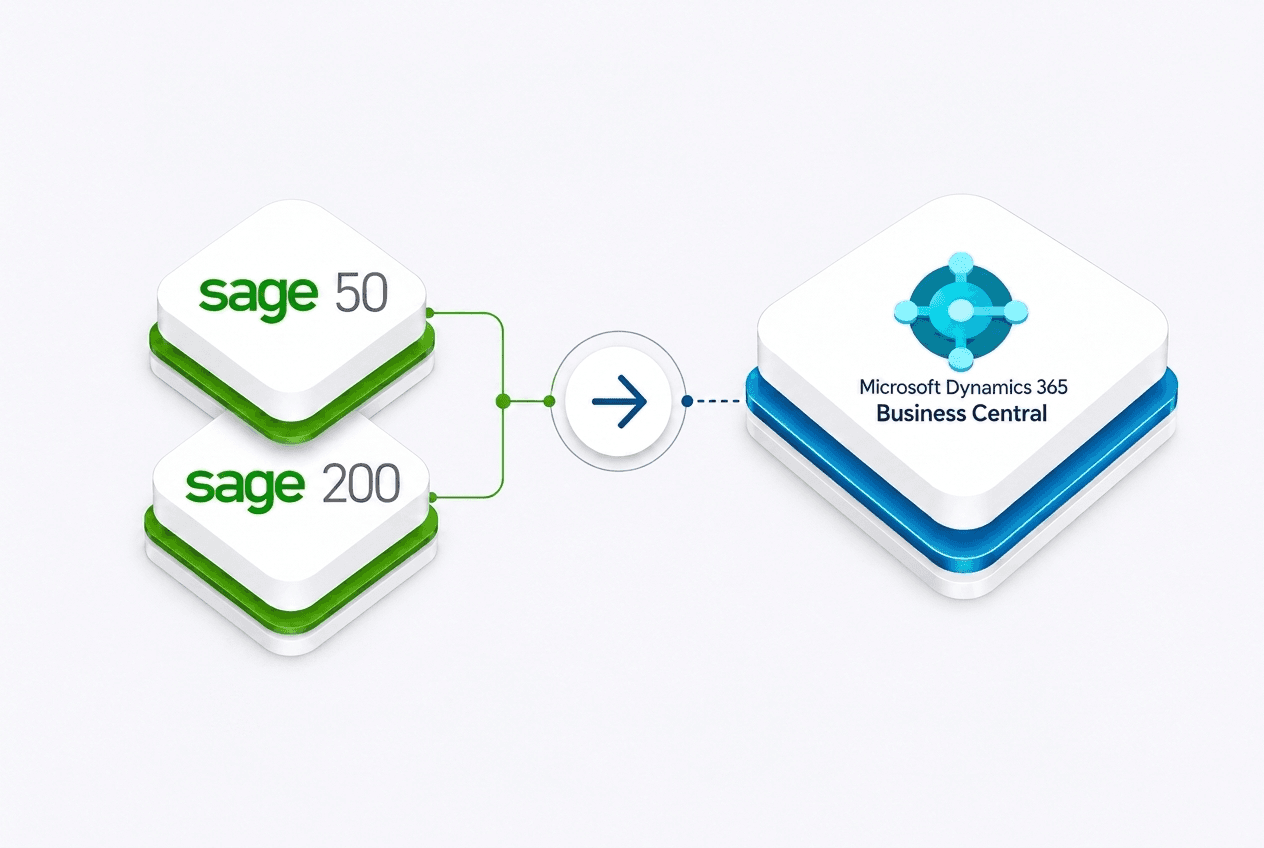
Businesses frequently consider moving to Business Central when they have outgrown systems such as:
- Sage 50 and Sage 200
- Microsoft Dynamics NAV (Navision)
- Older accounting or disconnected legacy ERP systems
Core Decision Factor
The important question is whether the new system can support how your business needs to operate now and as it grows. Business Central is designed to scale with wholesale and distribution operations.
Connecting Your Wider Operation
An ERP is only as strong as its connection to your physical operational touchpoints. Orca provides integrated solutions that extend Business Central across your operation.
Warehouse Management
Mobile barcode scanning, fast goods receipt, stock transfers and paperless picking with Orca Warehouse.
storefrontB2B eCommerce
Customer-specific trade pricing, credit limits, repeat ordering and catalog sync with Orca Commerce.
point_of_saleTrade Counter / POS
Instant counter sales, cash & account sales, quote conversions and real-time ERP inventory sync with Orca POS.
Timeline & Preparation
How long an ERP migration takes depends on several key variables within your business:
How to prepare for your migration
Your problems
Be clear on where your current system is failing and what business bottlenecks cost you the most time and money.
Your processes
Map out your real end-to-end workflows instead of theoretical ideals, highlighting manual workarounds.
Your data
Begin deduplicating customer profiles, auditing inventory records and archiving outdated data early.
Your integrations
Identify every connected software tool, payment gateway, logistics partner and spreadsheet currently in use.
Your people
Involve key department champions across sales, warehouse and finance early to build confidence and commitment.
Your go-live
Pick a strategic, lower-volume business window with clear partner support for a controlled launch.
Common ERP Migration Risks
Understanding the typical pitfalls beforehand is one of the most effective ways to protect your timeline and budget.
Underestimating data cleanup
Migrating incomplete or duplicated records can lead to avoidable operational errors after go-live.
Over-customisation
Modifying core system configuration to mirror legacy habits rather than embracing modern ERP best practices.
Insufficient user testing
Failing to simulate peak order volumes, backorder allocations or more complex processing scenarios before launch.
Poor user adoption
Leaving user training until the final week instead of running ongoing, hands-on workflow sessions.
Unclear ownership
Lacking an internal project sponsor to make timely process decisions when scoping questions arise.
How Orca Supports Your ERP Migration
With over 15 years of ERP consultancy experience, Orca Business Solutions helps UK wholesalers, distributors and manufacturers plan and carry out ERP migrations.
workspace_premiumMicrosoft Dynamics 365 Business Central focus
We specialise directly in Microsoft Dynamics NAV and Dynamics 365 Business Central, delivering tailored architectures without unnecessary complexity.
hubConnected native ecosystem
Orca Warehouse, Orca Commerce and Orca POS run natively alongside Business Central, reducing reliance on third-party connectors.
ERP Migration Best Practices Checklist
- check Define clear business objectives before evaluating software features
- check Audit and clean existing master data before migration
- check Map physical operational workflows directly with warehouse and counter teams
- check Run test migrations and validate real business transactions
- check Train staff in realistic, staged sessions rather than one generic presentation
- check Agree a post-launch support window with your migration partner
Explore the ERP Migration Series

Frequently asked questions
Considering an ERP migration?
Orca Business Solutions helps UK wholesalers, distributors and manufacturers plan, migrate and connect their business with Microsoft Dynamics 365 Business Central.